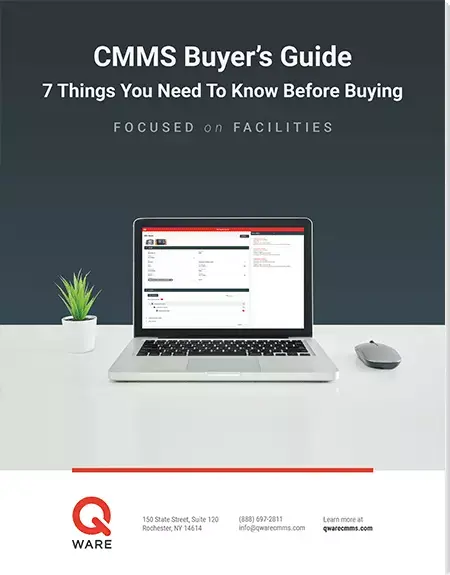

Work Orders
Quickly create and manage facility work orders from your desk or on the go.

Maintenance Excellence Starts Here
The first step to achieving maintenance excellence is to get yourself organized. The Q Ware Work Order application solves many of the organizational issues your team experiences every day.
Improved Efficiency
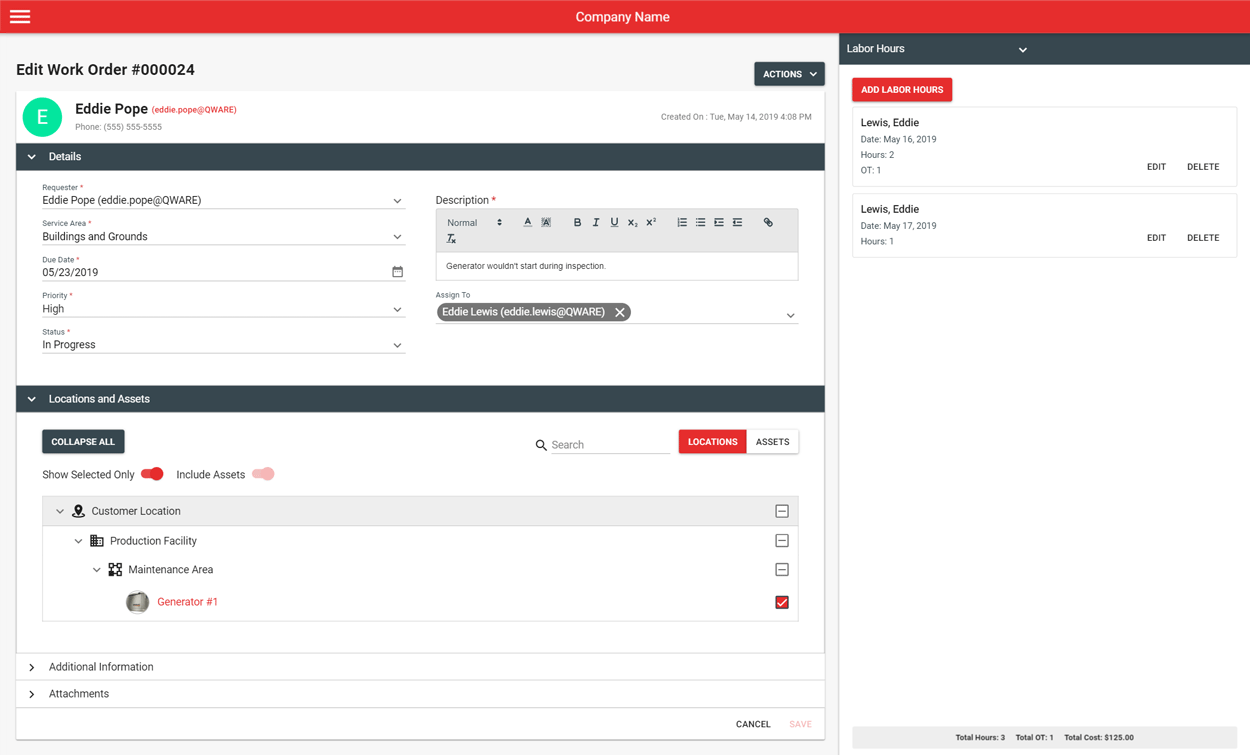
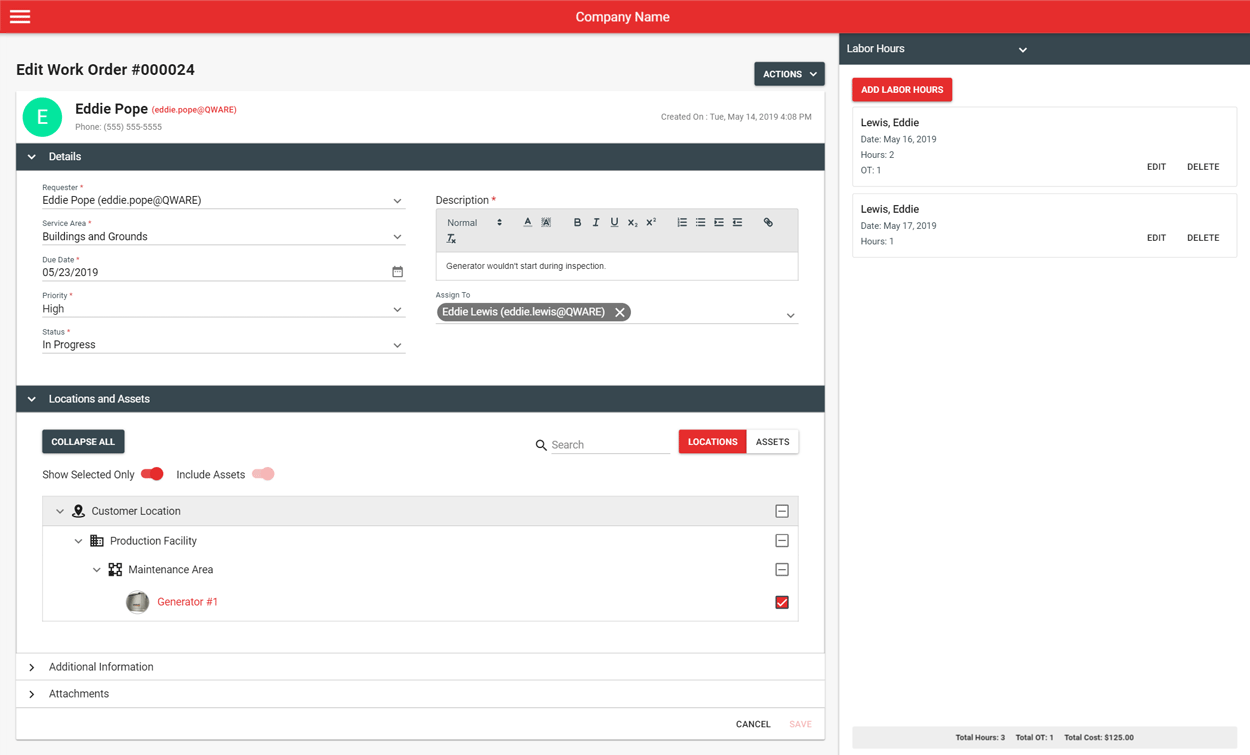
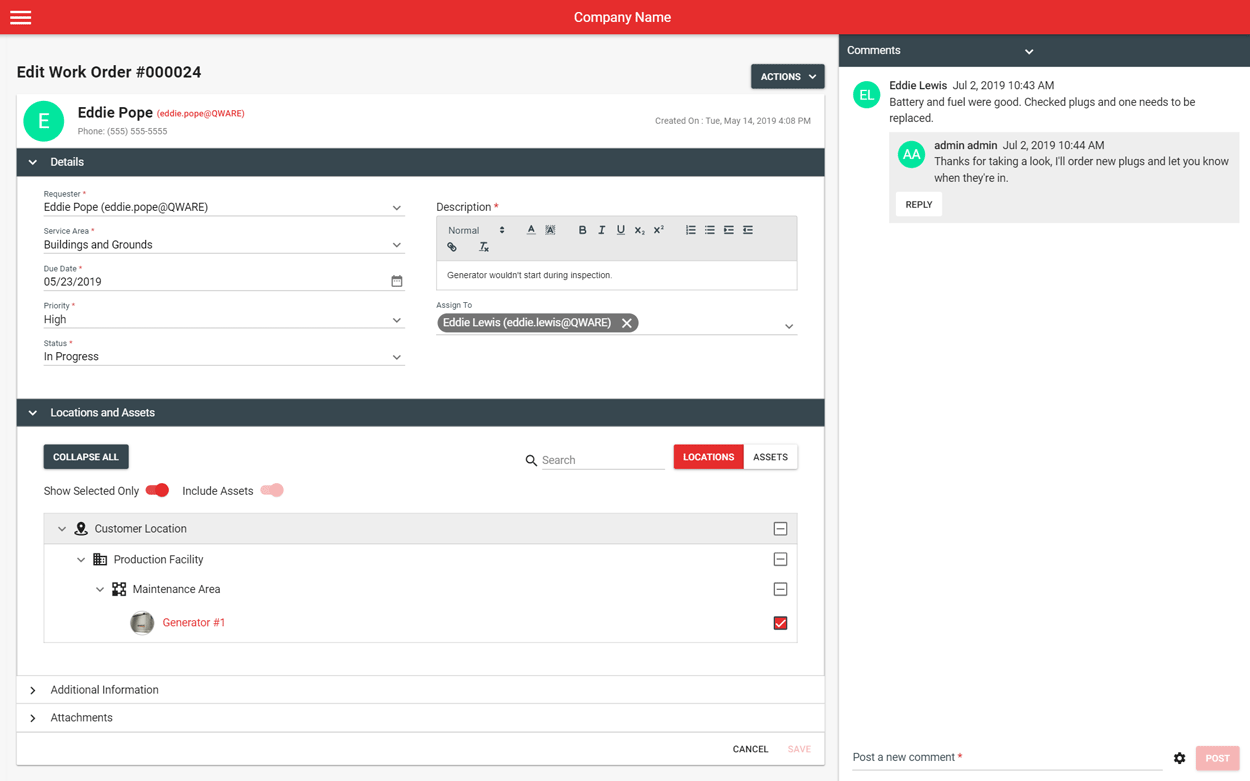
Moving to a cloud-based CMMS means work order information is now at your finger tips. Requests come in, get assigned, and are completed within a single work space so prioritizing what to do and when is super easy.

Prevent Stockouts
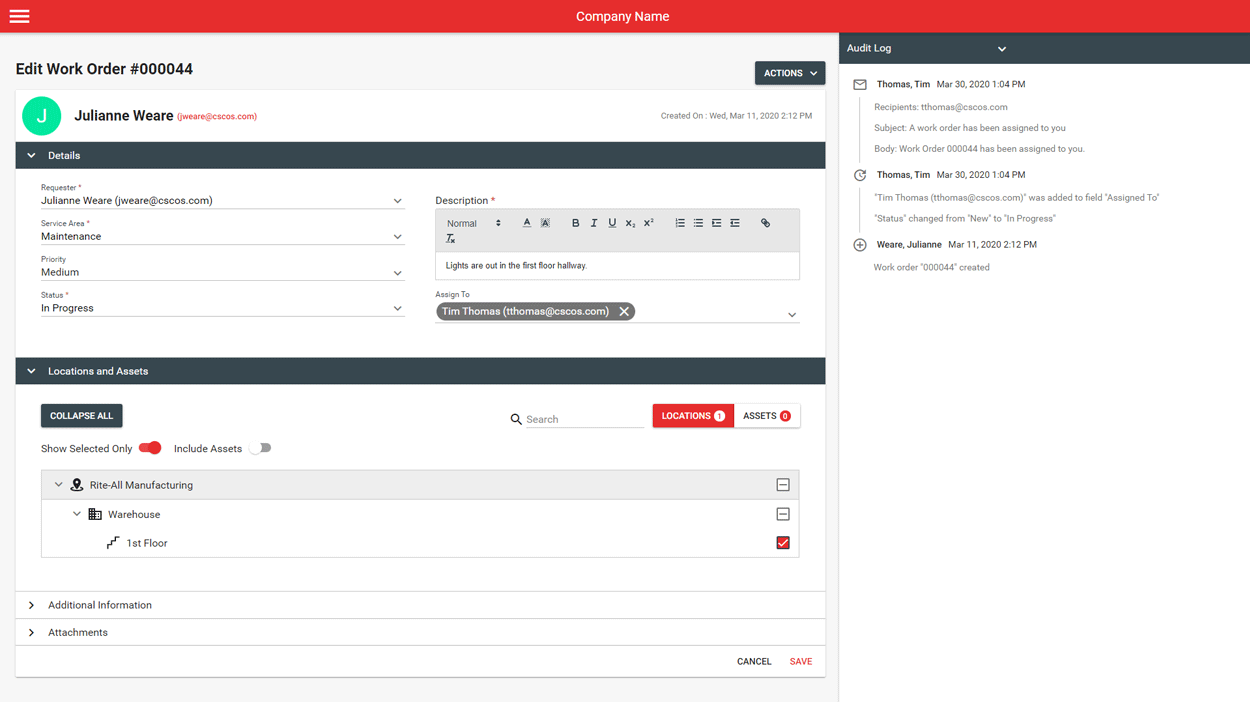
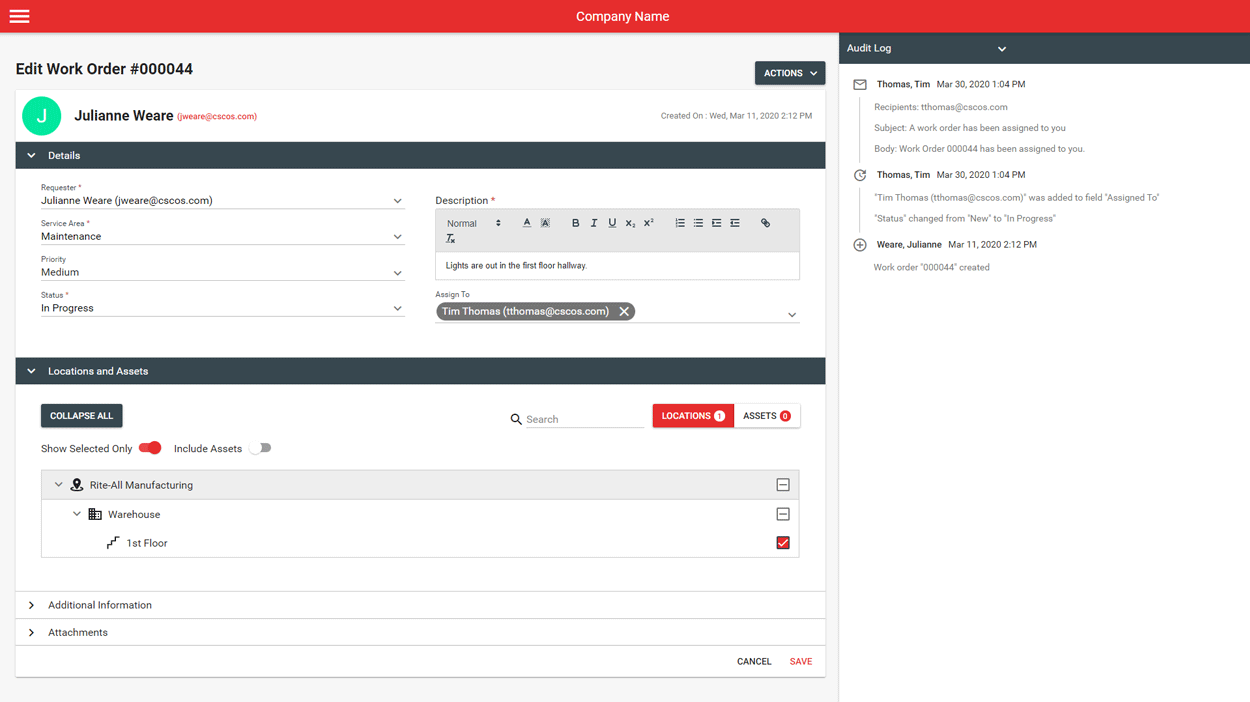
Keep your employees and requesters updated in real-time whenever there is a change. Automated emails, comments, and activity logging enables effective communication with stakeholders without having to think about it.

Greater Insight
Custom reporting features provide your team with relevant insight that is unique to your operation. Generate work order reports to easily identify critical problems before they happen and develop preventive solutions.
Work Order Features
Custom Request Workflows
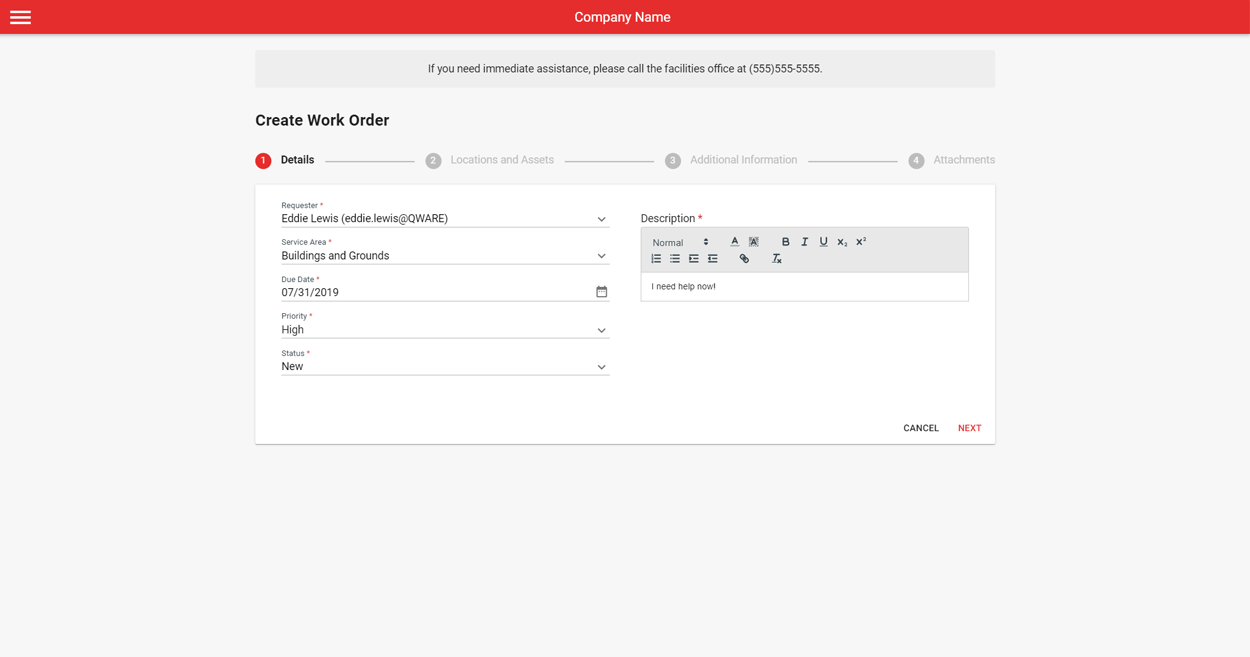
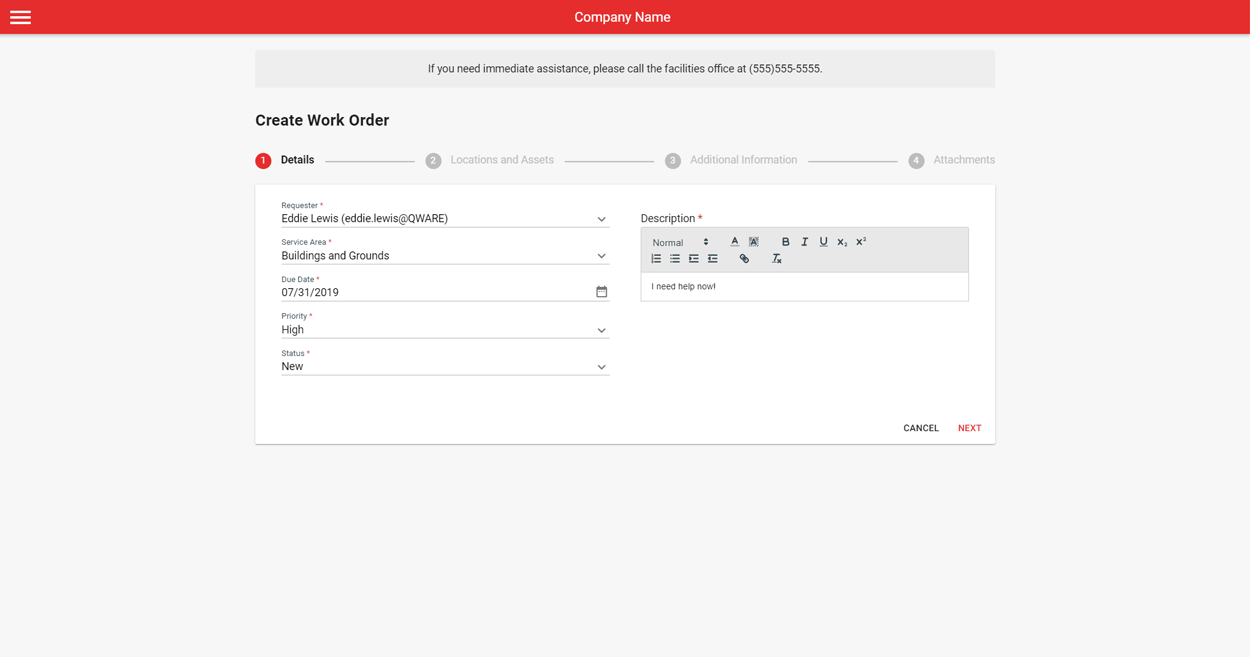
Work request forms can be customized to capture the exact data your team needs. The flexibility of Work Order allows it to adapt to your way of doing things and track information that is important for your team to respond quickly. Work request statuses, form fields, emergency messages, and email routing can all be built specifically for your operation.
Advanced Management Tools
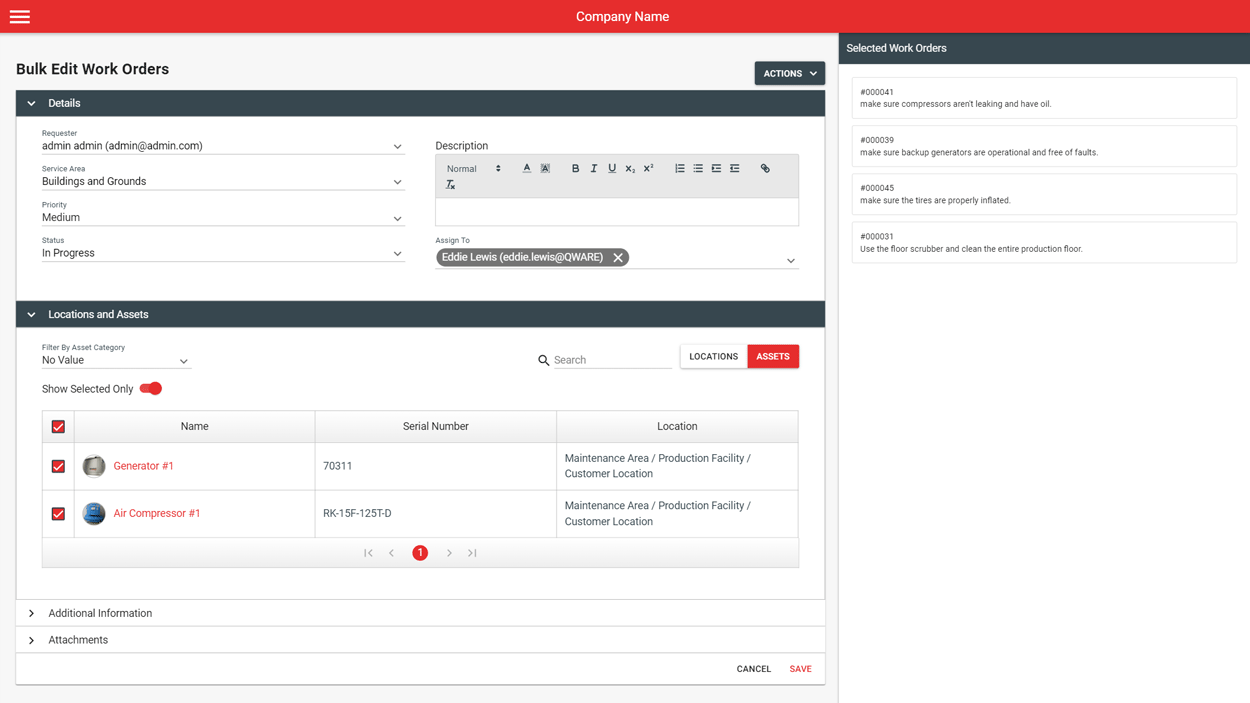
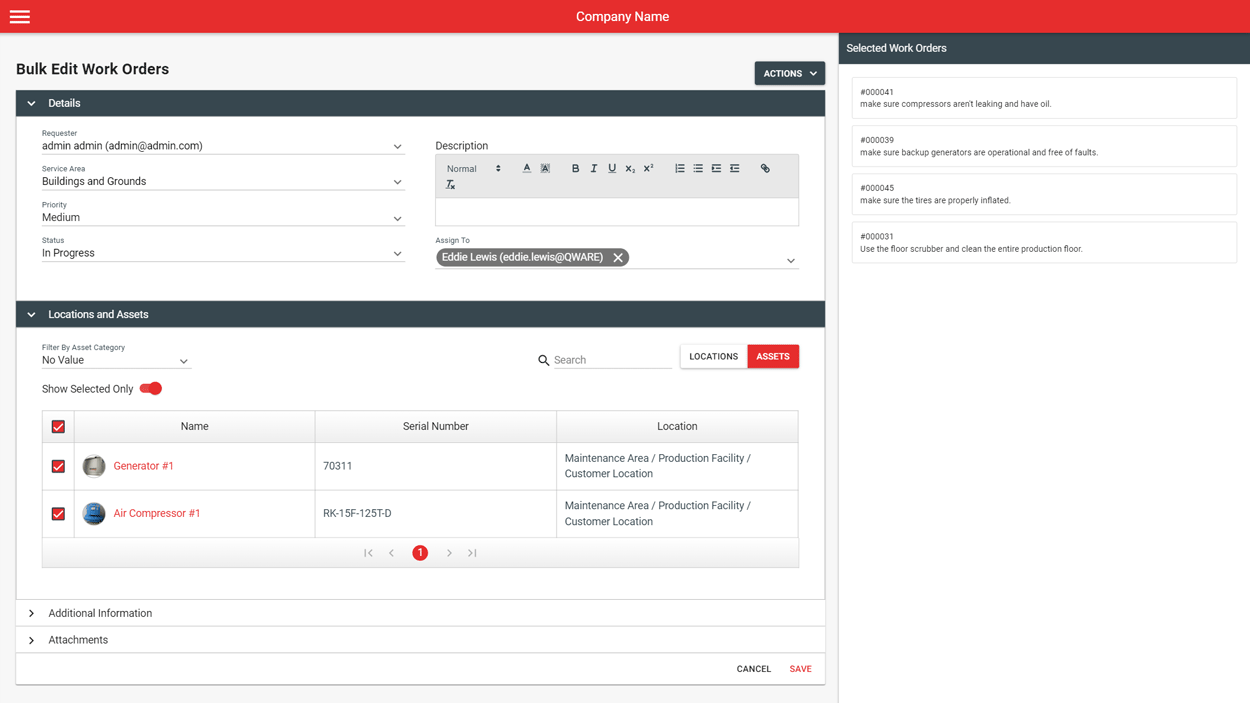
Work Order provides many tools to make managing requests easy. Work orders are viewed through table, calendar, or dashboard interfaces. Custom work order views can be saved to organize requests using filters and search features. Managers can also update or print multiple requests at the same time using bulk actions.
Comments & Emails
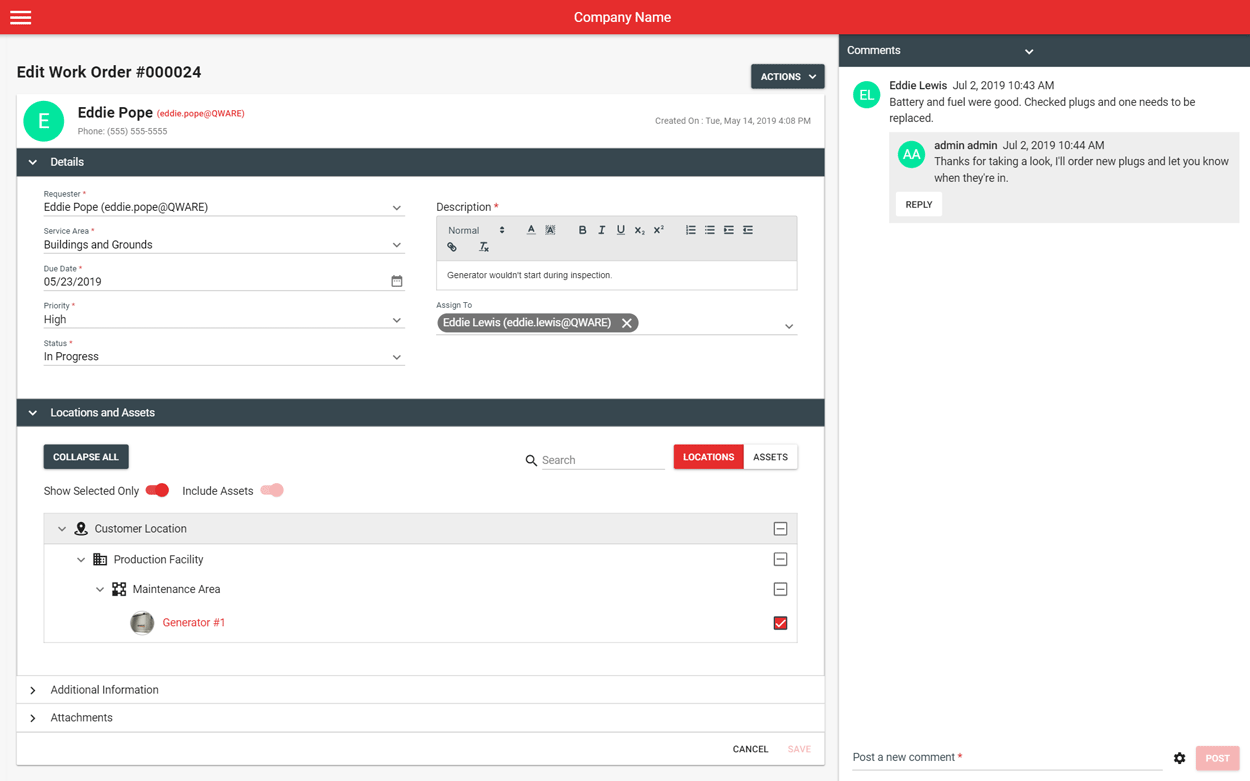
Work Order comments allow maintenance employees to communicate with each other as well as stakeholders. When comments are posted or when work orders are updated, automated emails can be triggered and sent to designated users. Emails are configurable and can include work order data.
Guest Work Requests
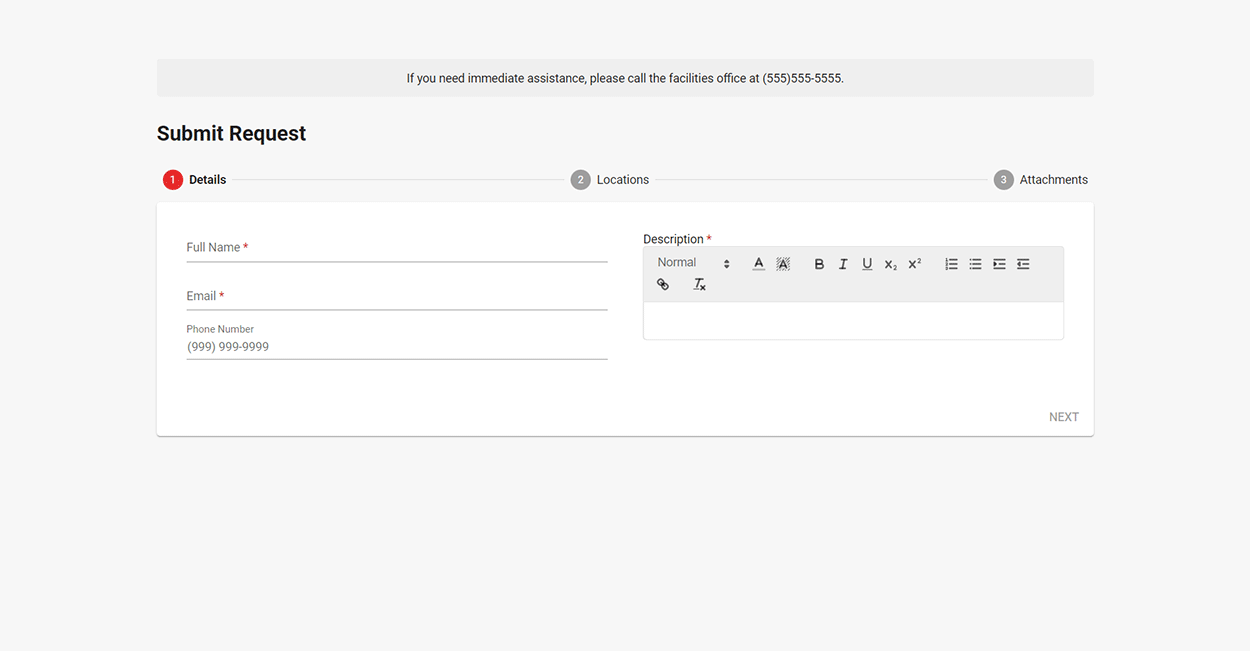
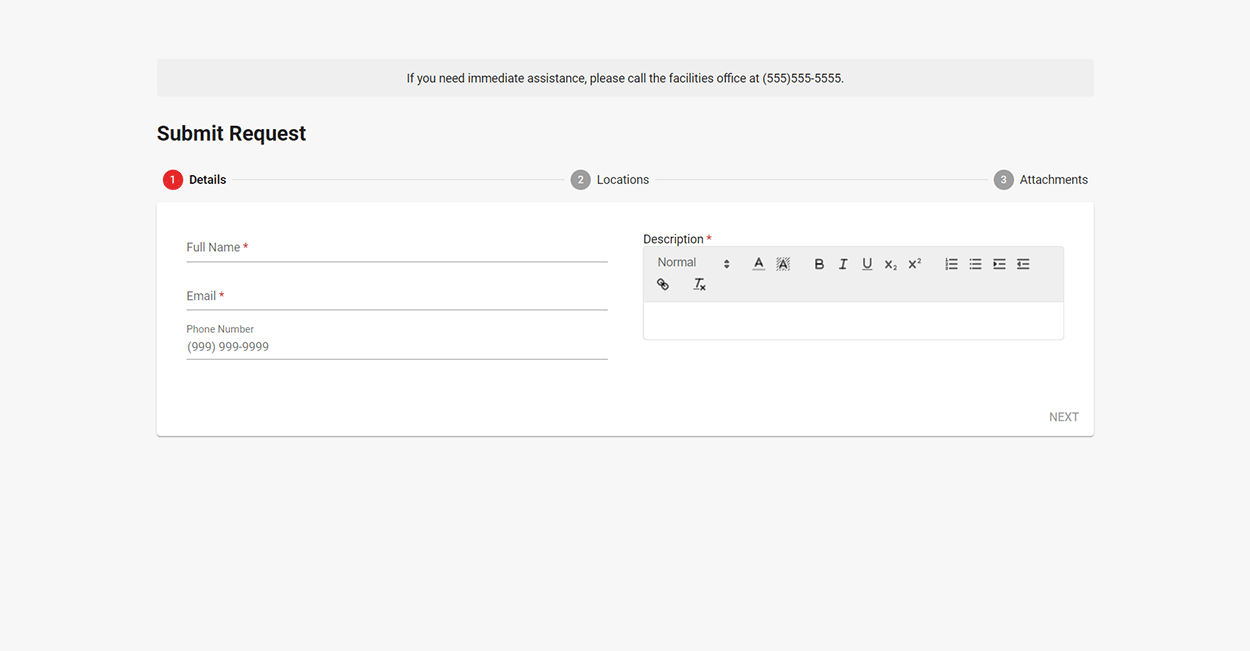
Every subscription to Work Order comes with a dedicated customizable guest form that anyone inside or outside of your organization can use to submit requests. Users are not required to login to submit their request and the form link can be shared or embedded in web pages for easy access.
ADDITIONAL APPS
Work Scheduling
Build a comprehensive preventive maintenance program with recurring work schedules. When PM's are due, work orders are generated automatically.
Inventory
Track on-hand inventory as well as consumption and cost when applied to work orders. Notifications are sent when on-hand quantities reach reorder points.

Event Booking
Easily manage space availability, requests, and approvals within a calendar planner. Anyone can compare space availability and request spaces for events.

Our Team Is Committed To Your Success
The Q Ware support team is dedicated to helping you reach your goals. We bring years of industry knowledge to the table which empowers our customers to create world-class facilities operations. Schedule a demo today to see what we can do for you.
More Great Features
Cloud-Based CMMS Team Subscription +
Access Q Ware CMMS from your web browser of choice anywhere and at any time. Q Ware's cloud-based applications are built using secure Microsoft Azure servers so you can relax knowing your data is safe. The data is always yours, and can be exported upon request.
Browser Compatibility:
- 1.0+
- latest
- latest
- latest
- latest
- 4.4+
Cloud Benefits
- No hardware requirements to implement
- Improved accessibility over self-hosting
- Secure Microsoft Azure servers
- Free continuous upgrades
- Free support
Asset Management Team Subscription +
Enter all of your assets into Q Ware to start tracking work histories and scheduling preventive maintenance work orders. Important asset data can be stored along with technical references and photos.
Features
- Quick access to important asset information and references
- Work histories are tracked and stored automatically
- Track asset maintenance costs
- Bulk actions update and print multiple assets at the same time
Mobile-Ready Team Subscription +
Q Ware CMMS is a completely responsive web application meaning it adapts to different screen sizes for optimal user experiences. If your team prefers laptops, tablets, or phones, it's no problem. The full application is available on all devices with an internet connection.
Custom Interfaces Team Subscription +
Q Ware prioritizes customization so it can be tailored to meet the needs of our diverse customers. Part of the onboarding process for Q Ware involves customizing the application to complement established customer workflows and processes from day one.
Customizable Parts
- Application logo
- Work order, asset, and inventory forms
- Email templates and delivery settings
- Login and work order emergency messages
- Work order priorities
- Work order statuses
- User groups and privilege settings
- User table views and selected columns
- User homepages
- User favorite locations and service areas when submitting work requests
Custom Reporting Team Subscription +
Build custom reports to analyze your data in ways that make sense for your operation. Select different data sets and filters to start working with your data to gain meaningful insights.
Features
- Reports can include data from both standard and custom fields
- Report settings can be saved to be able to run them again later
- Export to Excel or as a PDF
- Print reports
Barcode Scanning Premium Subscription +
Barcoding assets allows your team to quickly search for and access asset records from their mobile devices. Assets can be assigned barcodes either by scanning them in or allowing Q Ware to automatically generate and assign them for you.
Features
- Assign standard EAN and UPC barcodes or unique QR codes
- Access asset records by simply scanning their barcodes
- Quickly assign assets to work orders by scanning them in
- Replace old barcodes by scanning in new ones
- Scanning works on any mobile device equipped with a camera
Vendor Management Premium Subscription +
Store vendor contact information and upload purchase orders to keep track of order histories.
Features
- Quick access to vendor references for ordering and service calls
- Unlimited vendors can be stored
- Assign vendors to assets and inventory to run reports by vendor
Checklists Premium Subscription +
Build and assign reusable checklists and tasks to work orders to standardize the work being done and improve accountability. Receive verification that tasks have been completed and capture reportable issues that need corrective action.
Features
- Build reusable tasks and checklists
- Assign multiple checklists to corrective and scheduled work orders
- Require task verifications to be filled in to complete or close a work order
- Capture issues with dedicated issue reporting inputs
- Print checklists and tasks in an easy to follow "write-in" format
Single Sign-On Premium Subscription +
Customers have a choice of using Q Ware's default login or setting up single sign-on using Google Workspace or Microsoft Azure Active Directory.
Document Storage Unlimited Subscription
Use the Q Ware document library to store digital copies of important documents and images. Files can be renamed, replaced, deleted, and downloaded. Once uploaded, files can be assigned to other parts of the application via work orders, assets and more.
Features
- Free cloud-based file storage
- Advanced management tools are available to keep your library up-to-date
- No limit to the number of documents that can be uploaded
Work Order Software Built For You
We believe flexibility is key to improving facilities operations. Work Order can be customized to fit a variety of unique work processes. Learn more about Q Ware solutions for your industry.
Airports
Education
Healthcare
Manufacturing

Property Management

Public Works

Recreation